



Accessing and Sending Log Files
In the XMPie Services section you can easily access and send your log files to XMPie Support or R&D, if needed.
To access and send your log files:
1. Enter the Presets view and click the XMPie Services link.
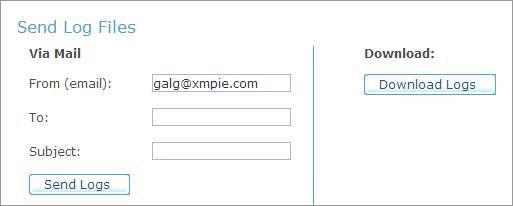
2. In the Send Log Files section, choose one of the following options for sending your log files:
● Via Mail: Send the log files to a specific recipient via email. Enter the From (email), To and Subject fields and click Send Logs.
● Download: Download the files to your local system. The downloaded file is a zip file.