



Adding Manufacturers
1. In the Presets view,
click the Manufacturer
Setup.
The Manufacturer
Setup page is displayed.
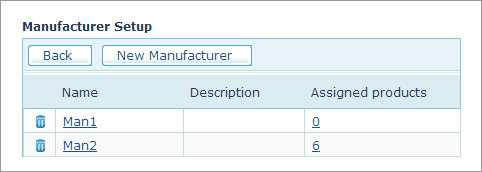
2. Click the New Manufacturer
link.
The Add new manufacturer
page is displayed.
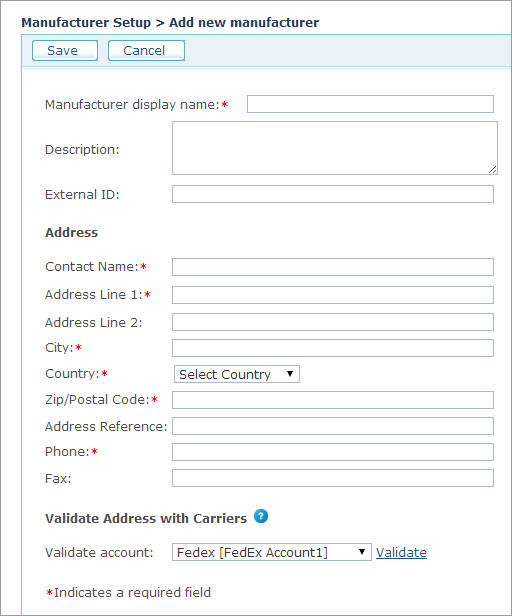
3. Fill in the required fields:
● Manufacturer display name: Mandatory. The name of the manufacturer as it will be displayed in Storefront.
● Description: A short description.
● External ID: Enables you to distinguish your product with an identification number.
● Address: Fill in all the required fields for the manufacturer’s address. The manufacturer’s address will be considered as a Pickup Address in a store offering delivery services.
● Validate Address with Carriers: Manufacturer’s address must be validated if your store is using delivery carriers such as UPS or Fedex.
● Validate account: Select the UPS or Fedex account in the list and click the Validate link.
4. Click Save.
The new manufacturer is added to the Manufacturer’s list.