



Exporting Localizations
1. In the Presets view, click Localization.
The Localization
- Culture List
page opens.
2. Click the Export button.
The Culture Export
page is displayed.
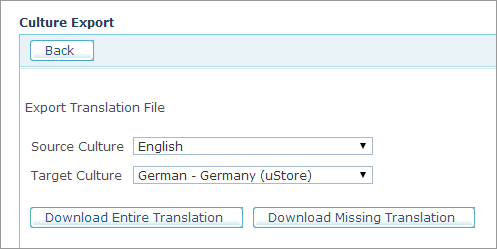
3. Select the source culture (<language> - <country>) from the Source Culture list.
4. Select the target culture from the Target Culture list.
5. If you wish to export all the source strings including those that have already been localized, click the Download Entire Translation button. If you wish to export only the strings that have not been localized to the selected target language, click Download Missing Translation.