



Setting Up the USAData Account Table
The USAData Account table enables superusers to create multiple accounts that can be selected by the store administrator in the Store Setup.
 This table is applicable for US customers only.
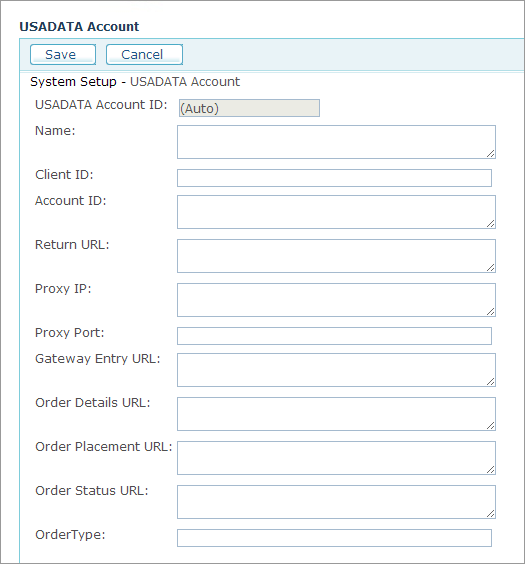
The USADATA Account page includes the following fields:
|
Field |
Description |
|
Name |
Name of the USAData account. |
|
Client ID, |
Provided by USAData. |
|
Return URL |
Enter the following URL: http://<uStoreDomain>/uStore/RecipientList/USADATA/LeadsModuleRebound.aspx Replace <uStoreDomain> with the domain name of your uStore server. If the store uses the HTTPS secured protocol, replace ‘http’ with ‘https’ in the URL. |
|
Proxy IP, |
Fill in your proxy details if your uStore is located behind a proxy server. Note that the Proxy Port must refer to port 80 (HTTP). |
|
Gateway Entry URL, |
Please use the following URL addresses instead of the URL provided by the USAData: Gateway Entry URL: http://listmodulev3.usadata.com/default.aspx Order Details URL: http://listmodulev3.usadata.com/getorderdetails.aspx Order Placement URL: http://listmodulev3.usadata.com/getorderfulfilled.aspx Order Status URL: http://listmodulev3.usadata.com/checkstatus.aspx |
|
Order Type |
The Order Type options are provided by USAData. The default order type is Consumer. |