



Date Time Picker
The Date Time Picker control enables customers to specify a date and/or time attribute for an order. You can set the Date Time picker to function as a popup (opens when clicked on) or as Inline (always visible). You can also set the date picker to a predefined period of time by using the Earliest and Latest date options. Use the Earliest and Latest date options to set predefined dates or dates relative to an Order date (for example: X days after an order has been made).
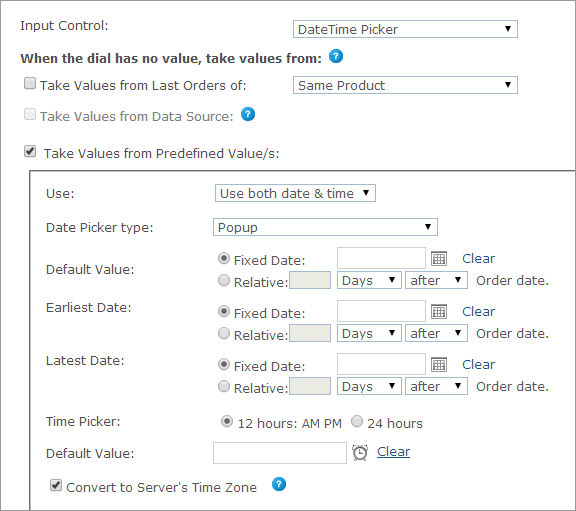
Once the Date Time Picker control is selected, you can set each product’s Dial values in the When the dial has no value, take values from section. The Dial values can be one of the following:
● Take Values from Last Orders of

● Take Values from Predefined Value(s)