



Selecting Shipping Providers
1. Select one of the following shipping providers:
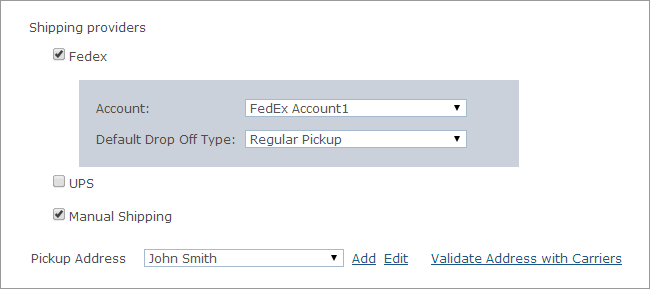
● Fedex
● In the Shipping providers section, select the Fedex checkbox, and then select the Fedex Account you want to use, as defined in the uStore Presets.
● Select the Default Drop Off Type that will be used for delivery fulfillment.
● UPS
● Select the UPS checkbox, and then select the UPS account you want to use, as defined in the uStore Presets.
● Select the Default Delivery Confirmation method. Available options include: No confirmation, Confirmation required, Signature required, Adult signature required.
● Manual Shipping - select this option to use per-shipment delivery.
2. From the Pickup Address list, select the pickup address you want to use for your store. Addresses are defined in the Presets view > System Setup > Global Address table.
You can click the Add or Edit links to add a new pickup address or edit an existing one. Note that the new address will be available for this store only.
See Also
Setting Up the Global Address Table