



Setting Up Delivery Services
In the Delivery Services tab you determine which services of the delivery providers (as set in the Delivery Settings tab) will be provided in your store. If you choose to disable delivery settings on the Delivery Settings tab, the Delivery Services tab will not be available.
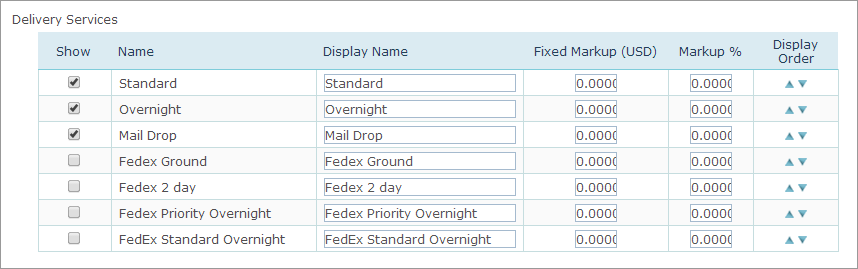
To define delivery services:
1. In the Show column, select the delivery service you want to allow in your store. The services you select here are made available for selection to the end customer during the purchase process.
2. You can add markup value as a fixed price in the Fixed Markup column, or as a percentage of the total delivery cost (Markup % column) to cover overhead expenses.
The total markup value is calculated as follows (in case both percentage and fixed markups are used):

3. Use the up and down arrows to set the location of the delivery service in the list that appears during store setup and in the store itself.