



Setting Up Manufacturers
uStore allows setting up several manufacturers for store products. These manufacturers will be assigned to produce the relevant products, and their address will be considered as the Pickup Address in the customer's order.
To view all manufacturers:
● In the Presets view,
click the Manufacturer
Setup link.
A list of all manufacturers defined in the system is displayed in the Manufacturer Setup page.
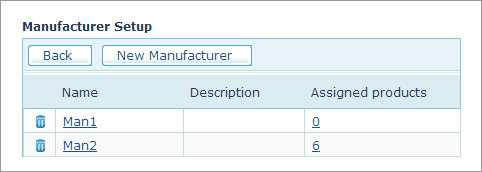
For each Manufacturer, the following fields are displayed:
● Name: Manufacturer’s display name
● Description: Manufacturer’s description
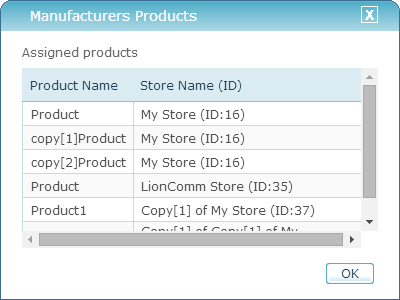
● Assigned products: the number of products assigned to this manufacturer. The number of assigned products is a link. Clicking this link opens the Manufacturer products window, where you can see what products in what store are assigned to this manufacturer.
What do you want to do?