



Defining Home Page
The home page of each online store can be personalized per-customer. For example, it can display the status of the customer’s latest orders, customer-specific promotions, and so forth.
To create personalized home pages:
1. In the Home Page section, add welcome text to your store
in the Welcome Text field.
This will be displayed in the store Welcome page.
Example

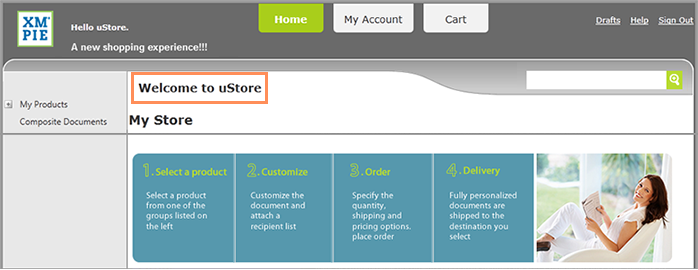
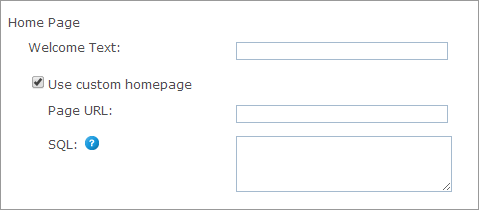
2. Select the Use custom homepage checkbox if you want to use a customized home page instead of the default uStore homepage.
● Page URL: The address of the static or dynamic web page you want to use as a home page (created in HTML, ASP, ASPX, PHP, etc.)
● SQL: A query defining the parameters required by the above URL. The SQL may contain references to the @StoreID and @UserID parameters, which are automatically given to the SQL. The fields returned from the SQL populate the query string of the uStore Storefront home page. The query must return exactly one record.
 You can also define the URL and SQL properties at the mall-level,
as part of the System Setup process. In this case, if you do not define
these properties at the store-level, they are inherited from the Mall
table.
You can also define the URL and SQL properties at the mall-level,
as part of the System Setup process. In this case, if you do not define
these properties at the store-level, they are inherited from the Mall
table.
See Also