



Managing uStore Presets
The Presets view
is your starting point to your store’s global settings and system setup.
Using the Presets view
administrators can gain access to various global settings and software
database tables to control the Mall behavior and Storefront shopping experience. View image

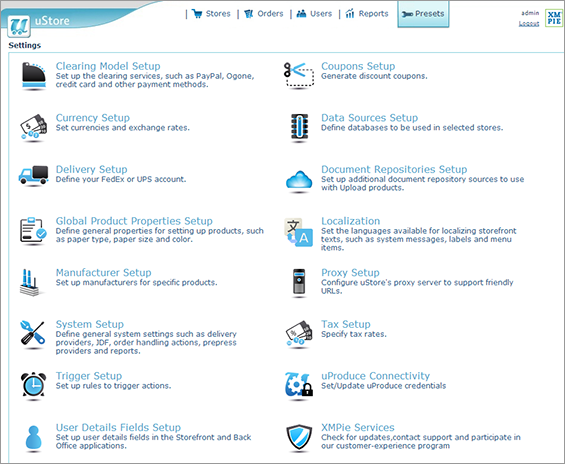
Using the Presets view you can:
|
|
Set up clearing models, such as PayPal, MultiSafepay, credit card and other payment methods, that will be available in the store. |
|
|
|
Generate discount coupons. |
|
|
|
Define currencies and exchange rates. |
|
|
|
Define databases to be used in specific stores. |
|
|
|
Define your FedEx or UPS accounts. |
|
|
|
Set up document repository sources to use with Upload products. |
|
|
|
Define general properties for setting up products, such as paper type, paper size and color. |
|
|
|
Set the languages available for localizing Storefront texts, such as system messages, labels and menu items. |
|
|
|
Set up manufacturers for specific products. |
|
|
|
Configure uStore's proxy server to support friendly URL's. |
|
|
|
Define general system settings, such as delivery providers, JDF, order handling actions, prepress providers and reports. |
|
|
|
Specify tax rates. |
|
|
|
Set up rules to trigger actions and emails. |
|
|
|
Update uProduce credentials. |
|
|
|
Set up user details fields in the Storefront and Back Office. |
|
|
|
Check for updates and send log files to XMPie support. |


The Presets menu also includes a direct link to all your Xerox FreeFlow Workflow applications. For more information on how to set up prepress workflow providers, see Setting Up Prepress Workflow Providers.
You can configure the Presets menu to display a link to uProduce. For more details, see Setting Up the Mall Table.